Stop Scrolling: A Social Media Template Set That Actually Converts
Let’s be honest: managing social media is exhausting. You spend hours brainstorming content, writing captions, and sourcing images, only to post a graphic that gets lost in the noise. As a designer and brand strategist, I’ve seen too many small business owners and content creators struggle with this exact problem. They have a great product or message, but their visual presentation feels disjointed or amateurish. That’s where a high-quality Social Media Template Set changes the game. It’s not just about making things look pretty; it’s about creating a cohesive, professional brand identity that builds trust and drives engagement.
More Than Just Pixels: The Anatomy of a High-Converting Template
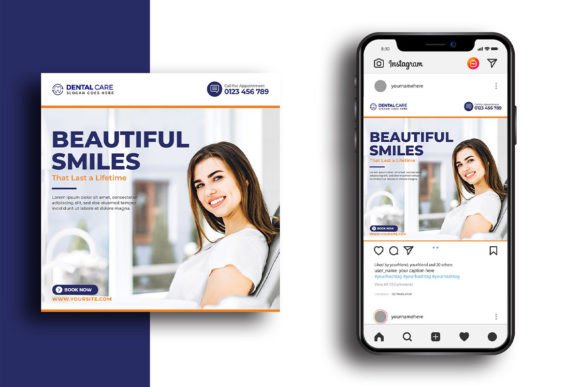
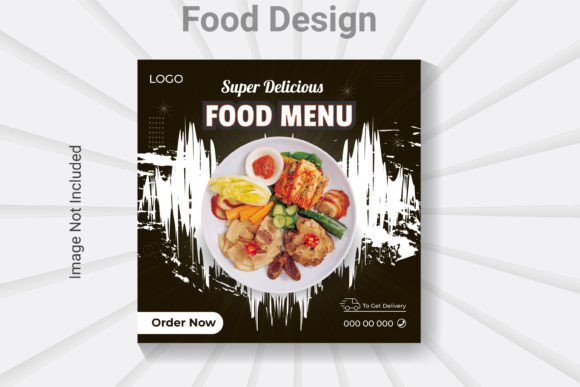
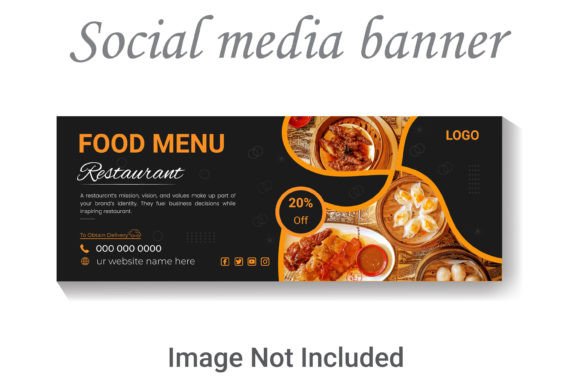
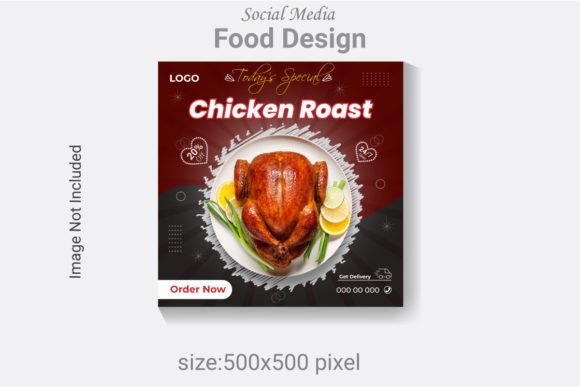
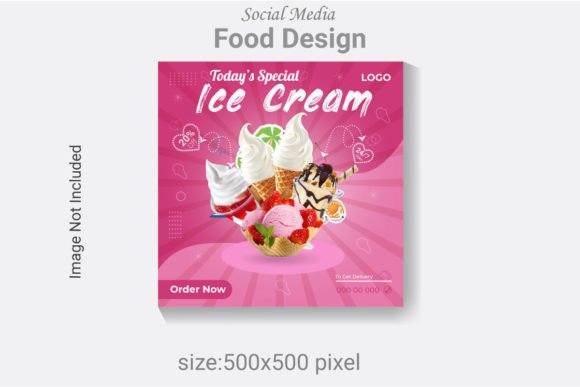
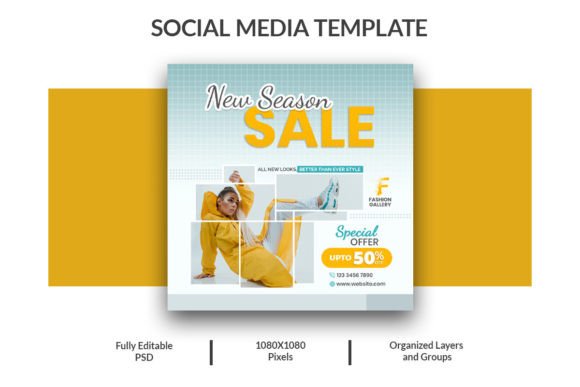
What separates a template that actually helps you sell from one that just sits in your downloads folder? It comes down to structure and flexibility. This particular Social Media Template Set is built on a foundation of practical design principles. The core package includes a PSD Banner at 1500x571 pixels—perfect for Facebook covers, website headers, or LinkedIn banners—and two PSD Square Banners at 1080x1080 pixels, the universal standard for Instagram posts, Facebook graphics, and Pinterest pins.
The visual personality of these templates is modern and clean. They aren’t overly stylized with trendy effects that will look dated in six months. Instead, they focus on clear visual hierarchy. You’ll find ample space for your headline, a clear area for a subheading or value proposition, and a dedicated spot for a call-to-action. This isn’t just aesthetic; it’s functional. It guides your viewer’s eye exactly where you want it to go, which is crucial for readability and conversions. The RGB color mode ensures colors pop on any screen, and the use of free fonts means you won’t incur extra costs or licensing headaches—a significant plus for entrepreneurs and small business owners.
Where This Template Set Shines: Real-World Applications
The true value of a design asset like this is its versatility. Think of it as a foundational toolkit for your digital presence. Here’s how different professionals can leverage it:
- For Marketers & Entrepreneurs: Use the square templates to announce a new product launch, promote a limited-time sale, or share customer testimonials. The consistent format across posts builds recognition. The banner template is ideal for creating a cohesive look on your Facebook page or YouTube channel art, reinforcing your brand identity every time someone visits your profile.
- For Bloggers & Publishers: Create a series of graphics for a blog post promotion. Use one template for the main announcement, another for a key statistic or quote from the article, and a third for a “swipe up” or “click the link” reminder. This series approach keeps your content visually unified over several days of promotion.
- For Content Creators & Crafters: Showcase your work with style. If you’re a photographer, use the square templates to highlight a portfolio piece with a clean text overlay. If you sell handmade goods, create a template for “New Arrivals” and another for “Behind the Scenes” to give your feed a balanced, professional look that builds audience engagement.
This set works best for projects that require a modern typography focus without the complexity of custom illustration. It’s ideal for social media graphics, web design mockups, digital ads, and even quick editorial design for online magazines or newsletters. The clean lines and structured layout make it a creative font companion—it provides the canvas, and your brand’s typography brings it to life.
Practical Guidance: Making the Template Work for You
Downloading the file is the easy part. The real work—and the real payoff—comes in the customization. Here’s my practical advice for getting the most out of this Social Media Template Set.
- Evaluate Project Fit First: Before you open Photoshop, ask yourself: What is the primary goal of this graphic? Is it to inform, persuade, or entertain? The template’s structure should align with that goal. If you need a complex infographic, this may not be the right tool. But for clear, message-driven posts, it’s perfect.
- Master Your Font Pairings: The template uses clean, sans serif font placeholders. This is intentional. It invites you to bring your own brand fonts. A good rule of thumb is to pair a bold, attention-grabbing display font or premium font for the headline with a highly readable sans serif font for body text. Avoid using two similar fonts; create contrast for better hierarchy.
- Readability is Non-Negotiable: Always check your text on a mobile screen. What looks balanced on your desktop monitor might be illegible on a phone. Ensure there’s sufficient contrast between text and background. If you’re placing text over a photo, consider adding a subtle color overlay or a semi-transparent shape behind the text to improve clarity.
- Leverage the Included Styles: The Help Guide Included is there for a reason. Use it. Understand the layer structure. Often, templates will have hidden layers with alternative color schemes or layout variations. Experiment with these before starting from scratch.
- Think in Systems, Not Singles: Don’t just create one graphic. Use the template to create a mini-campaign. Design a set of three to five posts that share the same color palette, font pairing, and structural logic. This systematic approach is what transforms a random feed into a powerful brand identity engine.
Remember, the goal of using a Social Media Template Set is to save time and elevate your professionalism, not to replace your unique voice. Use it as a springboard for consistency. When your visuals are consistently polished, your audience begins to recognize and trust your content before they even read a word. That’s the subtle power of good design—it builds credibility silently, allowing your message to do the talking. Start with a strong foundation, and you’ll find that increasing your sales with digital media becomes a more straightforward, and more visually appealing, journey.