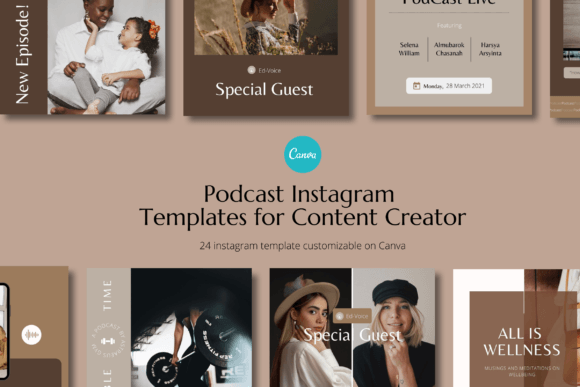
Podcast Canva Instagram Template: Your Instant Branding Kit
Creating consistent, professional-looking social media content can feel like a full-time job, especially when you're juggling everything else that comes with running a podcast, coaching business, or small brand. You know you need a strong visual presence to attract listeners and clients, but staring at a blank canvas every time you want to post can be paralyzing. This is where a thoughtfully designed template pack changes the game, moving you from creative block to published content in minutes.
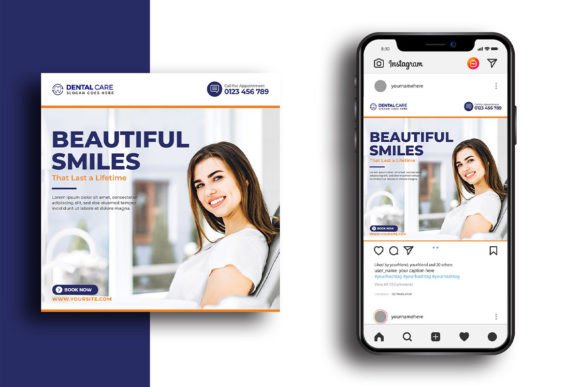
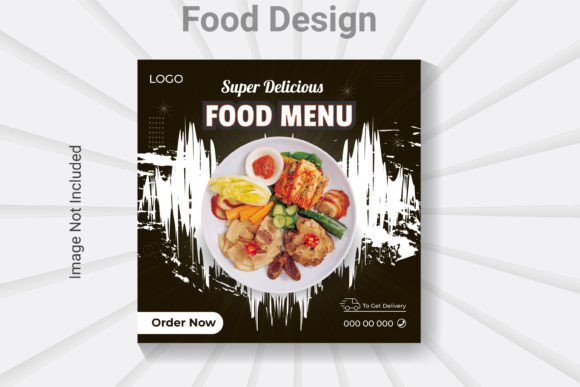
The Podcast Canva Instagram Template is a pack of 24 distinct designs, each built for the 1080 x 1080 pixel square format that dominates Instagram feeds. These aren't just random graphics; they're a cohesive visual system. The style leans into a modern, clean aesthetic with plenty of breathing room. You'll find a balanced mix of bold typography for headlines, clear sections for body text, and designated spaces for images or podcast cover art. The overall personality is approachable yet professional—perfect for a coach sharing insights, a podcaster promoting episodes, or a small business showcasing products. It avoids overly trendy effects that might date quickly, focusing instead on solid layout principles that ensure your message is the star.
Where This Template Pack Truly Shines
While the name highlights podcasting, the utility of a versatile Instagram template like this extends far beyond audio promotion. Think of it as a foundational design asset for your entire brand identity. For a personal brand, you can use these layouts to consistently share tips, quotes, client testimonials, and behind-the-scenes glimpses. Coaches and consultants find them invaluable for breaking down complex concepts into digestible visual carousels or announcing new program launches.
Small businesses can leverage the templates for product spotlights, sale announcements, or user-generated content features. The key is the underlying structure. Because the templates are built in Canva with fully editable text, fonts, colors, and shapes, you can align every single post with your existing brand palette and typography. This consistency is what builds recognition. When your audience scrolls and instantly recognizes your posts by their visual style—before even reading the text—you've achieved a level of professionalism that fosters trust. This pack is essentially a starter kit for creating a library of social media graphics that feel intentionally designed, not hastily thrown together.
Practical Guidance for Customization and Impact
The real power of the Podcast Canva Instagram Template lies in its ease of use, but a few practical steps will maximize its impact on your engagement. First, don't just swap out the text. Use the customizable features to reinforce your brand's font pairing. If your brand uses a specific sans serif font for headings and a complementary serif font for body copy, apply those settings globally within the Canva template. This ensures your content feels native to your other marketing materials, from your website to your packaging design.
When selecting images, opt for high-quality photos that match the tone of the template. The clean layouts work best with focused, uncluttered imagery. Test your chosen photos at the 1080x1080 size to ensure key elements aren't cropped awkwardly. For text-heavy templates, prioritize readability. Check the contrast between your text and background colors. While a light grey font on a white background might look chic, it can fail accessibility standards and frustrate viewers on mobile screens. The templates are designed with visual hierarchy in mind, so follow that lead: make your main headline the largest, most prominent element, and use supporting text to provide details.
Remember, this is a creative font and layout toolkit. Experiment with changing the background colors to match seasonal campaigns or different content pillars. Use the shape elements to highlight key information. Because the pack includes 24 templates, you can batch-create weeks of content in a single sitting, scheduling posts in advance. This not only saves immense time but also allows you to step back and review your feed for overall cohesion—a crucial step in refining your brand perception. By investing a few hours in initial setup, you gain a streamlined system for producing engaging, on-brand content that looks like it came from a dedicated design studio, helping you scale your business with visual confidence.