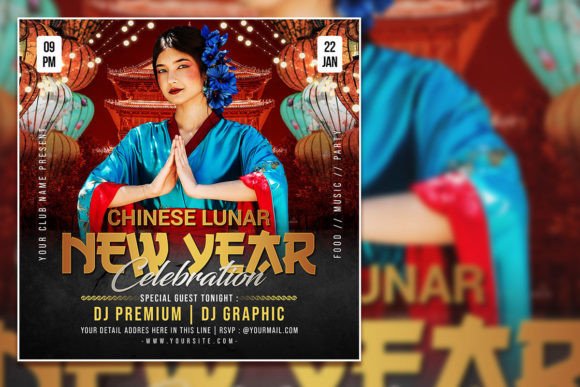
Designing a Festive Chinese New Year Celebration Flyer
More Than Just Red and Gold: Capturing the Spirit of the Festival
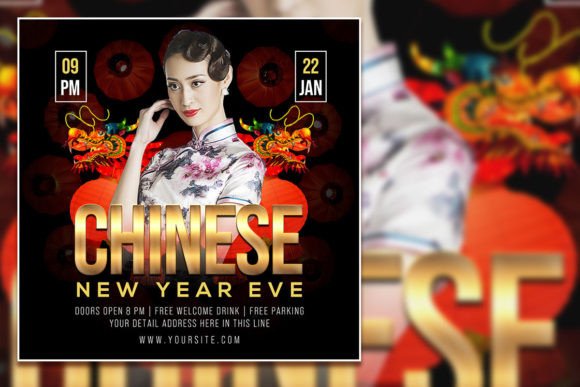
Creating a promotional piece for a Lunar New Year event requires more than just slapping a dragon illustration onto a red background. It demands a design that feels authentic, energetic, and inviting. A well-crafted Chinese New Year Celebration Flyer serves as the visual heartbeat of your event marketing. It’s the first thing your audience sees, setting the tone for the celebration to come. The right design acts as a bridge, connecting the rich cultural traditions of the festival with the modern energy of your specific gathering, whether it's a community gala, a restaurant promotion, or a corporate celebration.
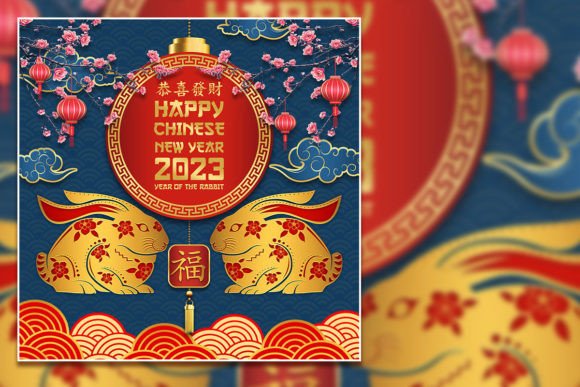
The visual language of Lunar New Year is potent and deeply symbolic. Red signifies luck and prosperity, gold represents wealth and fortune, while motifs like lanterns, plum blossoms, and the zodiac animal of the year add layers of meaning. A successful flyer template understands this. It doesn't just use these colors and symbols; it arranges them with intention, creating a layout that feels both festive and professional. The goal is to evoke the joyful, bustling atmosphere of a night market or a family reunion dinner, all within a single, printable square. This is where a thoughtfully designed Chinese New Year Celebration Flyer Template becomes an invaluable design asset for creators at any skill level.
Practical Power: The Editable PSD Template for Any Project
A static image has its limits. The real power for marketers, designers, and small business owners lies in adaptability. This is precisely why a Chinese New Year Celebration Editable PSD Template is such a practical tool. Delivered as a high-resolution 2000x2000 pixel PSD file at 300 dpi, it’s built for both digital screens and crisp print output. The organized layers in Adobe Photoshop mean you’re not wrestling with a flattened image; you’re working with a professional-grade design system. Every element is separated, allowing for granular control.
Imagine you’re a restaurant owner. You can download the template, swap the placeholder text with your menu specials and reservation details, and even replace the central image with a photo of your signature dumpling platter. The RGB color mode ensures vibrant colors on social media graphics, while the high resolution guarantees your printed posters and flyers look sharp. This level of customization transforms a generic template into a unique piece of your brand’s brand identity. It’s not about using a cookie-cutter design; it’s about using a professional starting point to create something that feels authentically yours.
Key Design Elements and How to Use Them Effectively
When you open the PSD file, you’re greeted with a layout built on principles of visual hierarchy. The most critical information—your event title—is designed to be the focal point, often using a bold display font that commands attention. Supporting details like date, time, and venue are set in a cleaner, more readable typeface, ensuring clarity. This careful font pairing is crucial; it guides the viewer’s eye naturally from the headline to the essential details without confusion.
The template’s style likely blends traditional motifs with modern typography. You might see elegant serif fonts for a touch of classic sophistication paired with a clean sans serif font for contemporary clarity. Some elements might incorporate a script font or handwritten font to add a personal, festive touch. As you edit, consider how these typographic choices influence perception. A heavier, bolder typeface feels energetic and celebratory, while a lighter, more refined font can convey elegance and formality. This is how a simple flyer template influences brand perception and sets audience expectations.
From Template to Finished Piece: A Step-by-Step Approach
Getting started is straightforward, even if you’re not a Photoshop expert. After downloading the file, open it in Adobe Photoshop. Your first step is to locate the text layers. Using the Text Tool (T), simply click on the text you wish to change and type your own message. This is the core of the template’s utility—all text is editable, allowing you to tailor the message completely. If you want to change the font, you can select the text and choose a new typeface from your library, though the provided pairings are already expertly matched.
Next, consider the imagery. The template likely includes a placeholder image. To replace it, you’ll find the corresponding layer or smart object. Double-clicking the smart object opens a new window where you can paste your own photograph, save it, and watch it automatically conform to the template’s shape and style. This is perfect for adding a photo of your venue, your team, or a product. Finally, review the overall design assets. Some layers might include decorative elements like lanterns or borders that you can reposition, resize, or even remove if you prefer a cleaner look. This process ensures your final Chinese New Year Celebration Flyer is not just a copy, but a customized piece of editorial design that serves your specific goal.
Maximizing Your Flyer’s Impact Across Platforms
Once your design is finalized, its versatility becomes apparent. A 2000x2000 pixel square format is incredibly adaptable. For social media graphics, it’s perfect for Instagram posts, Facebook event covers, and Pinterest pins. The high resolution ensures it looks sharp on high-retina screens. For print, the 300 dpi setting means you can produce professional-quality posters, handbills, and in-store signage without pixelation. This dual-purpose nature makes the template a cost-effective solution for integrated marketing campaigns.
Think about the context of use. A local community center can use it to announce a cultural performance. A boutique can promote a seasonal sale. A blogger can create graphics for a holiday recipe post. The template’s strength is its neutral professionalism—it provides a festive framework that can be adapted to countless commercial and personal projects. By focusing on clear information hierarchy and culturally resonant aesthetics, you create a piece that doesn’t just announce an event but actively invites participation, boosting audience engagement through thoughtful and accessible design. This practical application of a creative font